Features 01 — Decide what to do

In the morning, the day is already sorted.

Three modules answer the one question that stalls you when you open up: where do I start. You don't arrive at a blank page, you arrive at a decision already made.

01

Today

Your day's dashboard: the day's tasks, discipline held, habits to keep, current goals and the schedule — everything else lives elsewhere.

  • The day's tasks and current goals, with nothing to sort by hand
  • The state of the day at a glance: discipline, habit streak, focus
  • Nothing to configure on the first morning
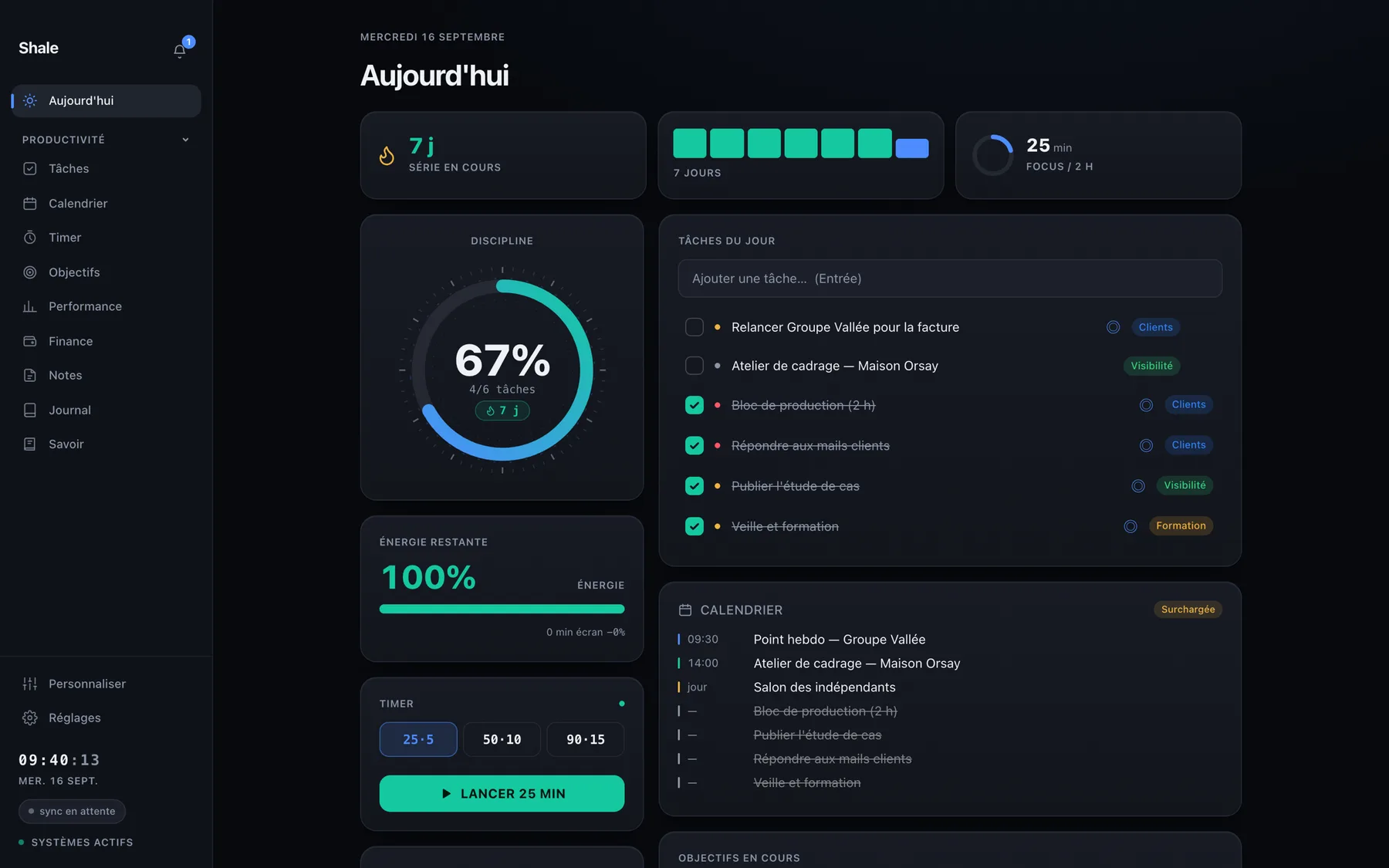
The Today module in the Shale app.

02

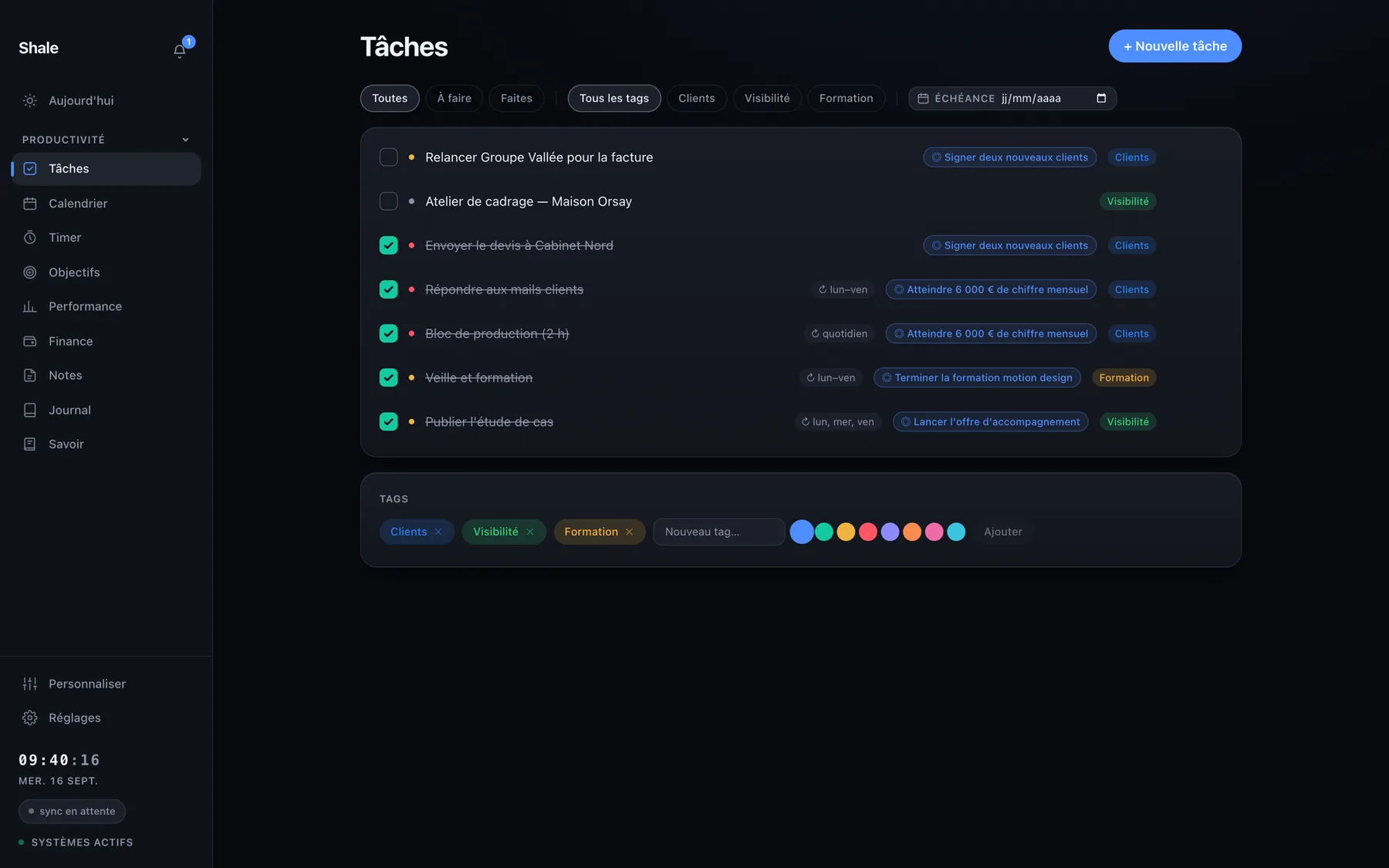
Tasks

Tasks, repeats and tags, without ceremony. What you check off here feeds the day's discipline and Performance, with no double entry.

  • Daily, weekly or custom repeats
  • Every task can be attached to a goal
  • What you tick counts towards your discipline on its own
The Tasks module in the Shale app.

03

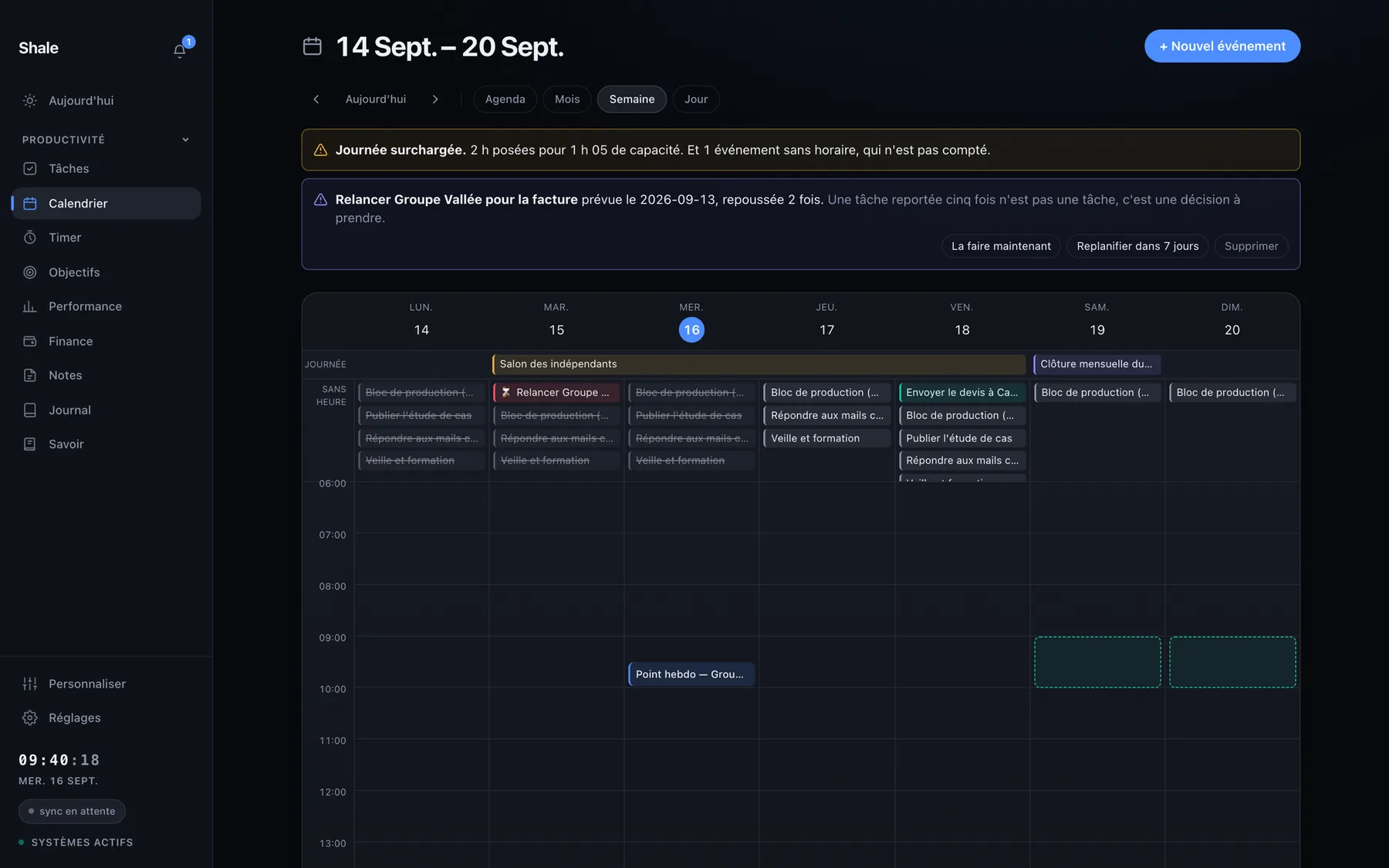
Calendar

Your appointments and deadlines in the same place as your tasks. You see what's already blocked in the day, and so how much free time is really left.

  • Task deadlines show up in the grid
  • The day reads in hours, not as a list
  • A reminder before an appointment, if you want one
The Calendar module in the Shale app.
PREVIOUS All features NEXT Move forward and measure

Hear about it the day Shale opens.

Shale isn't open to the public yet. People on the list hear first.

Your first month is free at launch.

For people on the waitlist only, to be claimed within 7 days of launch, on the Shale plan. A card is asked for at activation and charged only when the free month ends. Nothing to pay today, and one message is enough to unsubscribe. Privacy

MACOS APPLE SILICON — WAITLIST OPEN