Press
Press kit
Everything you need to describe Shale without having to ask: copy-ready text, the facts, the images, the contact.
Updated
Shale in brief
In one sentence
Shale is a productivity app for Mac that turns an idea into execution: a note becomes a mind map, then a goal split into phases, tasks and a calendar.
In one paragraph
Shale is a productivity app for Mac (Apple Silicon) that turns an idea into execution. A note becomes a mind map, the map a goal split into phases, the phases tasks, and the tasks go into the calendar. Every morning, the app shows what comes next. It is built for one person at a time, and published by Antonin Estanie, an independent French developer. Shale is in pre-launch: access is through the waitlist.
Long version
Shale is a productivity app for Mac (Apple Silicon) that turns an idea into execution. When notes, goals, tasks and the calendar live in separate tools, nothing links the starting idea to the current day. Shale links them: a note becomes a mind map, the map a goal split into phases, the phases tasks, and the tasks go into the calendar. Every morning, the Today screen shows the next task and what the calendar has already blocked.
Nine modules share the same data in a single window: a ticked task feeds the discipline and the measurements, with no double entry. Data is stored in a file on the Mac, and as an end-to-end encrypted copy on a server to keep devices in sync.
Shale is built for one person at a time, and published by Antonin Estanie, an independent French developer. Shale is in pre-launch: access is through the waitlist.
Fact sheet
- Name
- Shale, a productivity app for Mac
- Category
- Personal productivity
- Platform
- macOS, Apple Silicon (M1 and later)
- Publisher
- Antonin Estanie, a French sole proprietorship registered in August 2026 (SIREN 109198879)
- Status
- Pre-launch. Access is through the waitlist
- Model
- Subscription. The first month is free for people on the waitlist
- Languages
- French and English
- Modules
- Today, Tasks, Calendar, Timer, Goals, Performance, Notes, Habits, Knowledge
- Artificial intelligence
- In the Shale Pro plan only. Off by default, turned on by the user
- Website
- https://www.shaleapp.com/en/
- Press contact
- support@shaleapp.com
- Social
- Instagram: https://www.instagram.com/shale.appTikTok: https://www.tiktok.com/@shaleappX: https://x.com/Shaleapp_comYouTube: https://www.youtube.com/@shaleappReddit: https://www.reddit.com/user/shaleapp
Who it is for, and what problem it solves
Who is Shale for?
Shale is made for entrepreneurs and independents carrying a project, as well as students and young professionals who want to stick with a goal over time. It is built for one person at a time: no sharing, no comments, no team space.
What problem does Shale solve?
In the morning, working out what to do often takes more energy than doing it. When notes, goals, tasks and the calendar live in separate tools, nothing links the starting idea to the current day. Shale links them: a note becomes a goal, the goal becomes phases, the phases become tasks, and the tasks go into the calendar.
What Shale does
- An idea takes shape. A note, then a mind map drawn inside the note. Full-text search finds an idea when you type it.
- The map becomes a goal. The goal breaks into phases, then steps and tasks. Its progress comes from what's actually done.
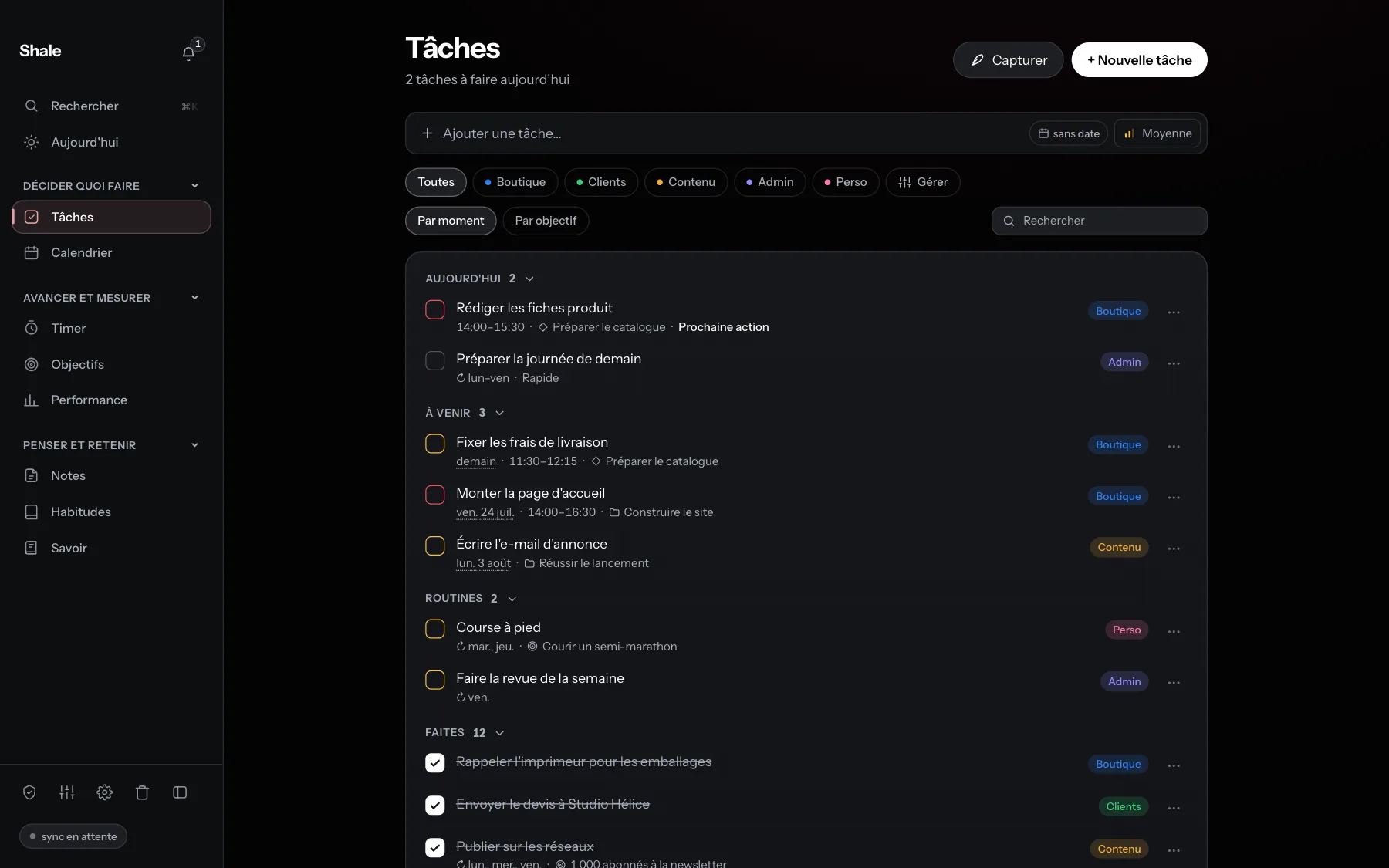
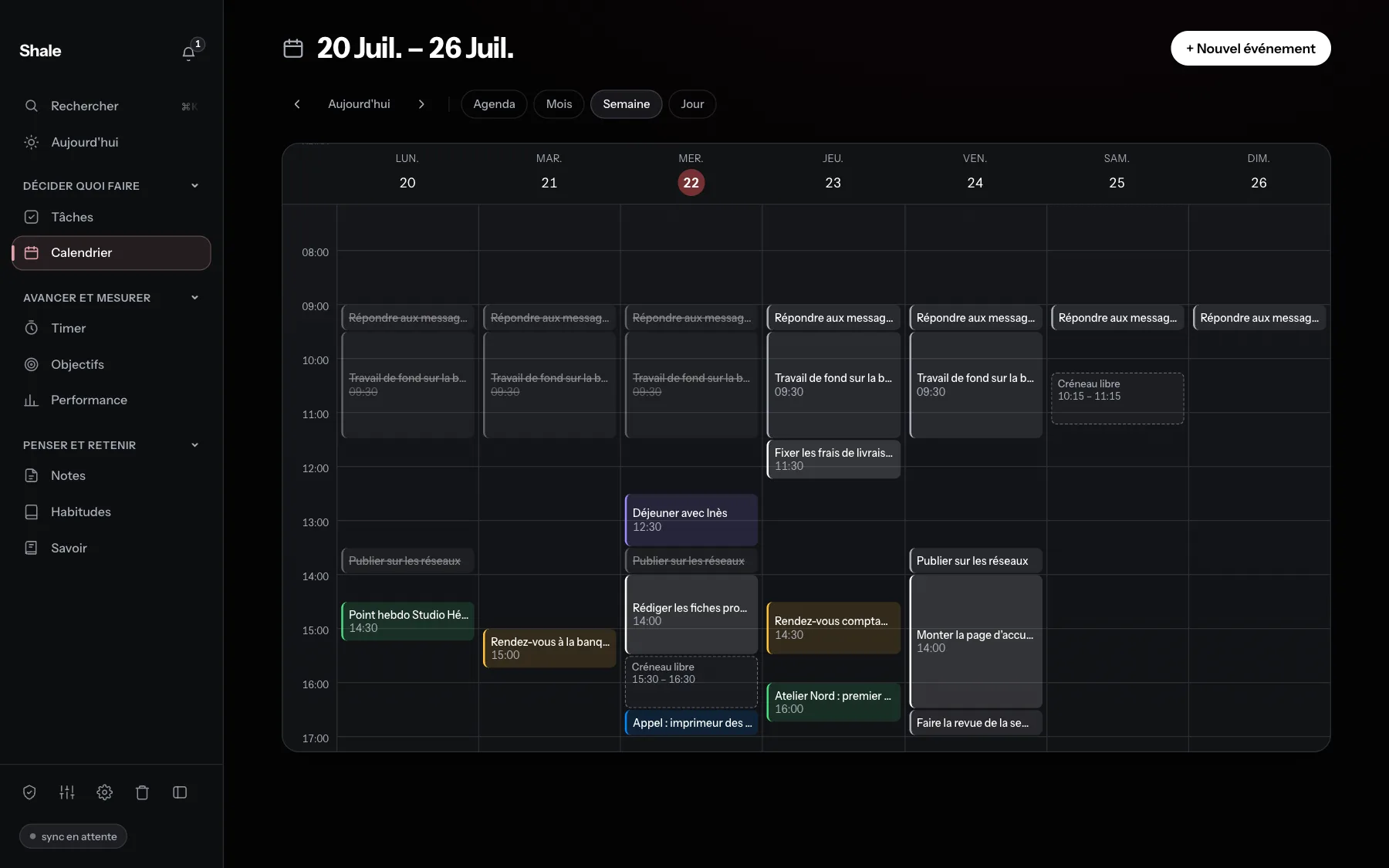
- Tasks enter the day. Tasks, repeats and tags; the calendar shows what is already blocked and how much time is left.
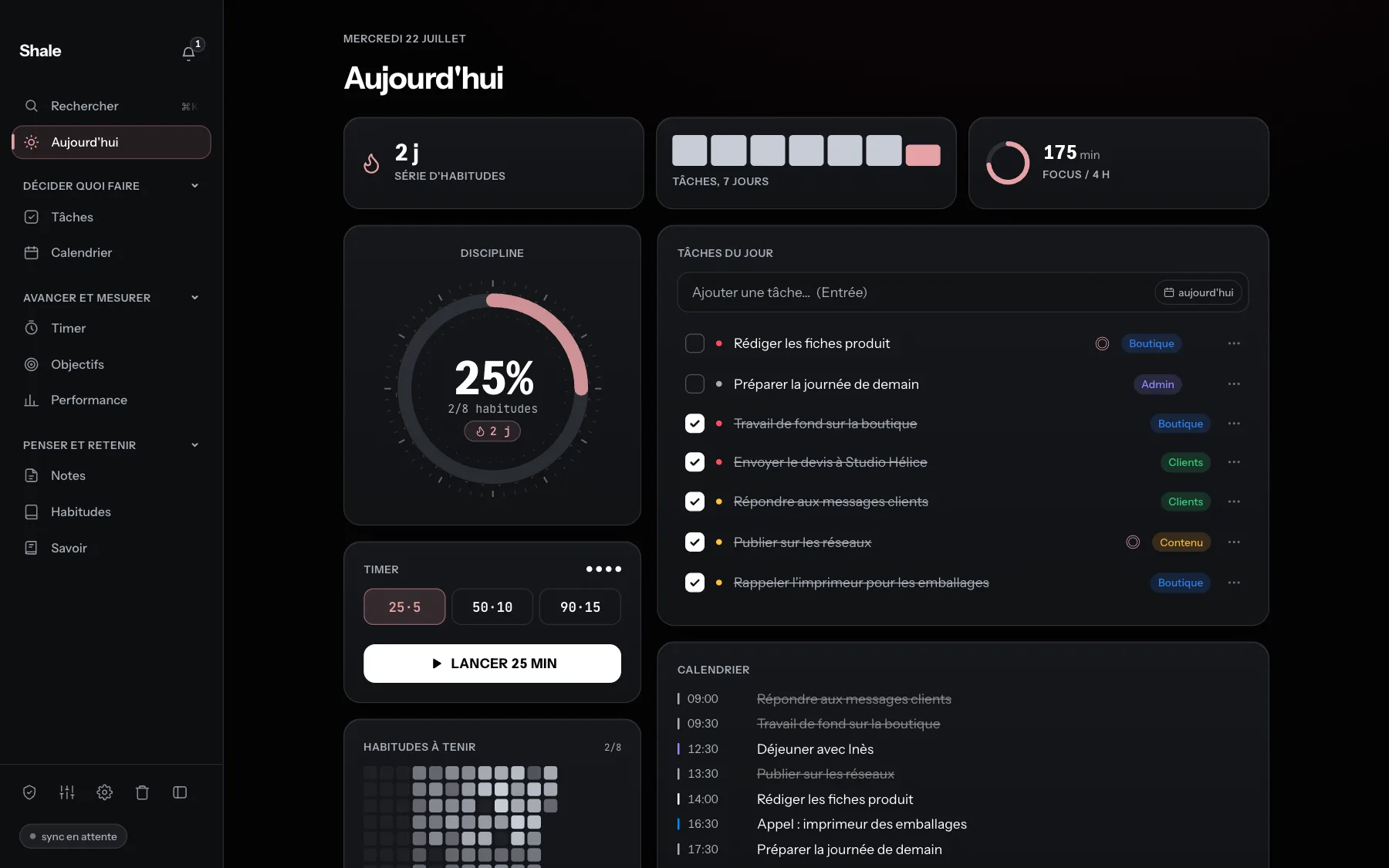
- Every morning, one screen. Today shows the next task, what the calendar has blocked, and the habits to keep.
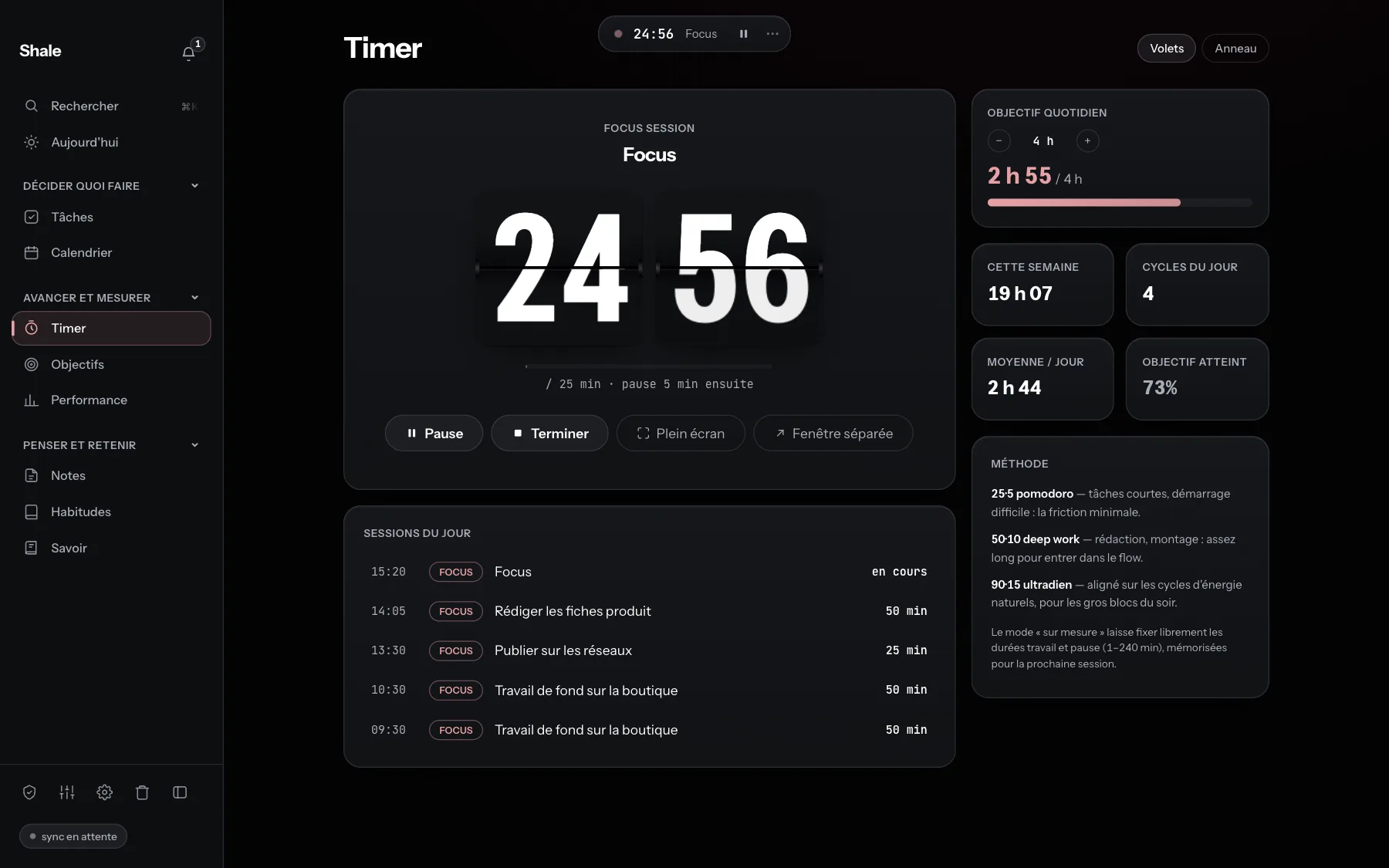
- Time spent logs itself. A focus timer, from 1 to 240 minutes, records each session.
- What gets done stays visible. Habits are tracked over twelve weeks; Performance measures behaviour, not results.
What Shale does not do
- No teamwork. No sharing, no comments, no shared space. Shale is made for one person at a time.
- No imposed method. No system to set up before you start: the app is usable on the first morning, as it is.
- No pushy reminders. No reminder emails. The app's reminders — streak at risk, appointment coming up — can be set one by one and turned off.
- No reading of your data. The sync copy is encrypted on your machine, with a key we don't have.
Shale Pro: artificial intelligence, opt-in
Shale Pro adds artificial intelligence features to the app. They are off by default and are turned on family by family: the morning brief and the evening wrap-up; capture, where a text, a PDF or an image becomes tasks, events or notes to approve; breaking down tasks and goals; writing help in notes (summarise, rewrite, translate, expand, suggest links, make a mind map); and the weekly review.
- The AI changes nothing on its own: every suggestion waits for approval.
- When an AI feature is used, the content involved (the note, the tasks, the chosen file) is sent to Shale's servers, then to Google, whose Gemini model writes the answer. During that transfer, this content is not covered by end-to-end encryption. The rest of the data is not affected.
- Shale keeps neither what is sent nor what comes back. Only a count of actions is kept, with no text at all.
- The AI can be turned off at any time, entirely or family by family. Without it, the whole app works.
- Shale is in pre-launch: these features are not yet open to the public.
The founder's story
Antonin Estanie, founder of Shale
I'm an entrepreneur. For a long time, I tried to run my work in Notion: tasks, notes, goals, everything was in there. I never managed to make it last: nothing really linked a note to a goal, or a goal to the day. Shale is my answer: an app that links those steps instead of leaving them in separate tools. I write it on my own, as a sole proprietorship registered since August 2026.
Data and privacy
Where is the data?
Your data is stored in a file on your Mac, and as an end-to-end encrypted copy on our servers so your devices stay in sync. Encryption happens on your machine: we don't have the key and can't read that copy.
- The file exports whenever you want. The format is open: if development stops, it stays readable.
- On cancellation, the app goes read-only: you don't lose your work, you lose editing.
- Offline, everything local works: tasks, calendar, habits, timer, goals, notes.
- The flip side of encryption: if the password is forgotten, no one can decrypt the sync copy. The file on the Mac stays accessible.
Assets to download
Logos, screenshots and sharing image, free to use when writing about Shale.
Download everything (.zip, 7.4 MB)Logo and icon
-
 App icon PNGSVG
-
 Shale Pro icon PNGSVG
-
 Square logo, full bleed PNGSVG
-
 Symbol only, for dark backgrounds PNGSVG
-
 Symbol only, for light backgrounds PNGSVG
-
 Symbol only, black PNGSVG
Screenshots
Real screenshots of the Mac app, with no mock-up. PNG, 1800 × 1125, dark theme; the light theme is in the .zip file.
-
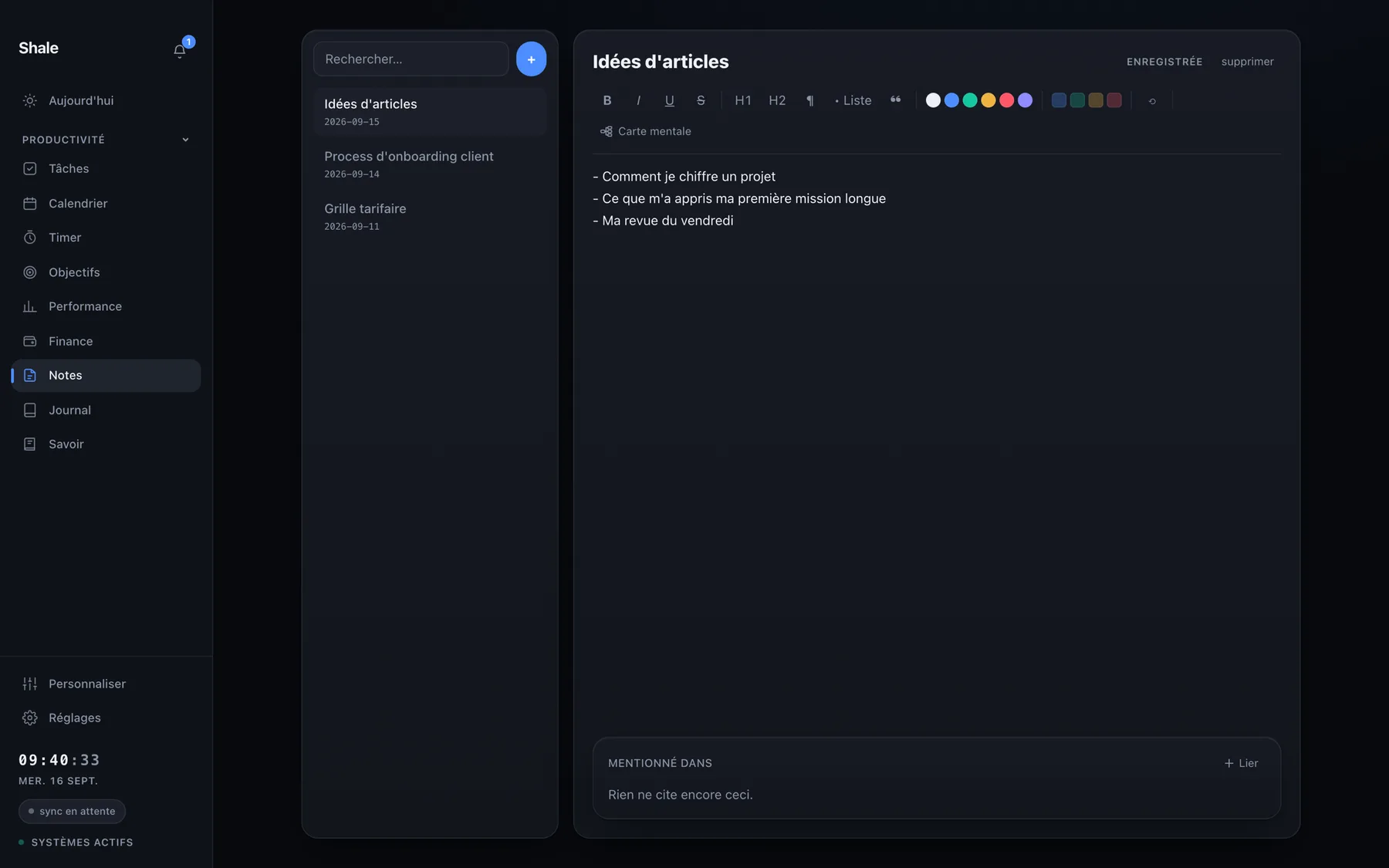
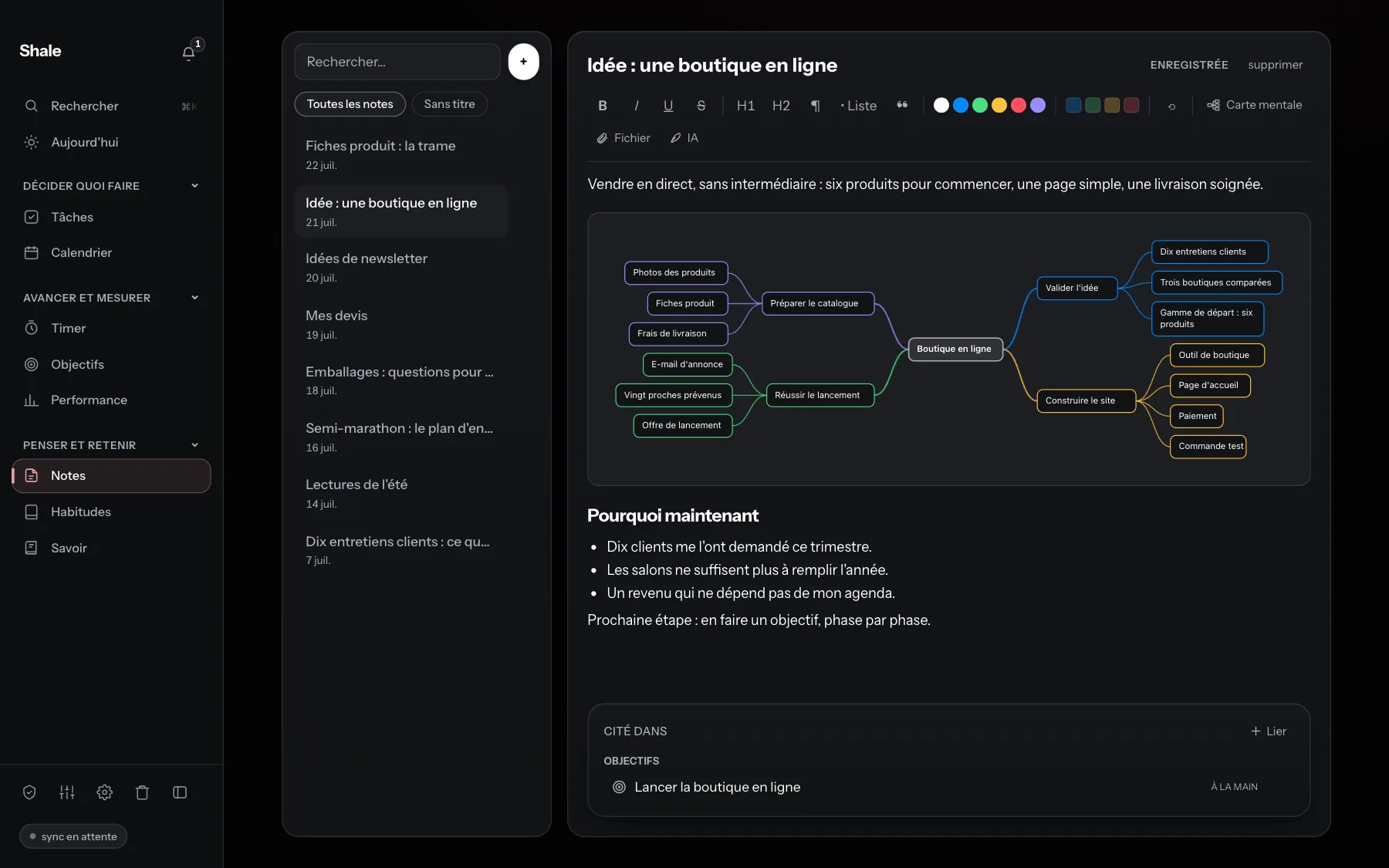
Notes. A note and its mind map, drawn inside the text; at the bottom, the goal that cites the note. PNG -
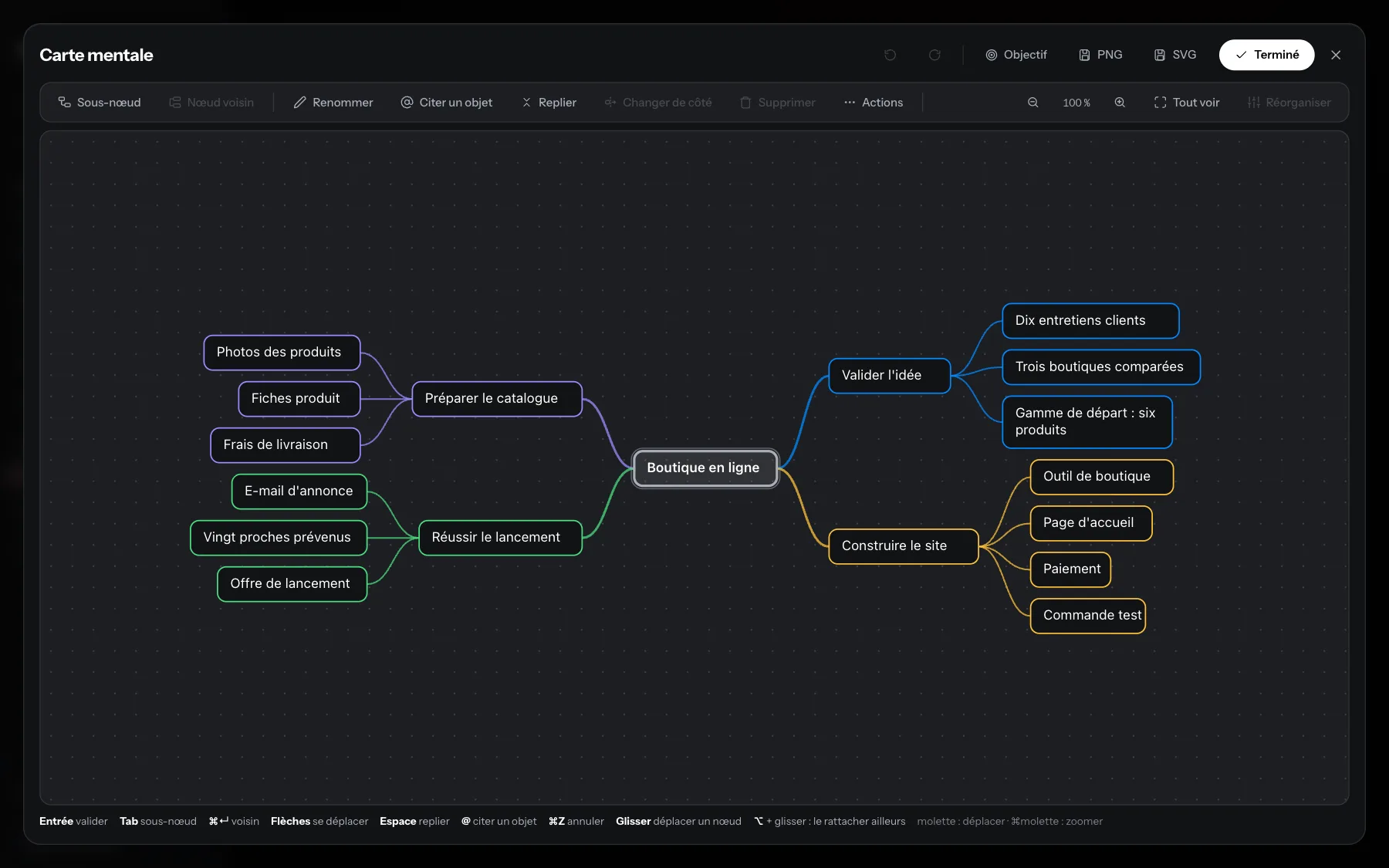
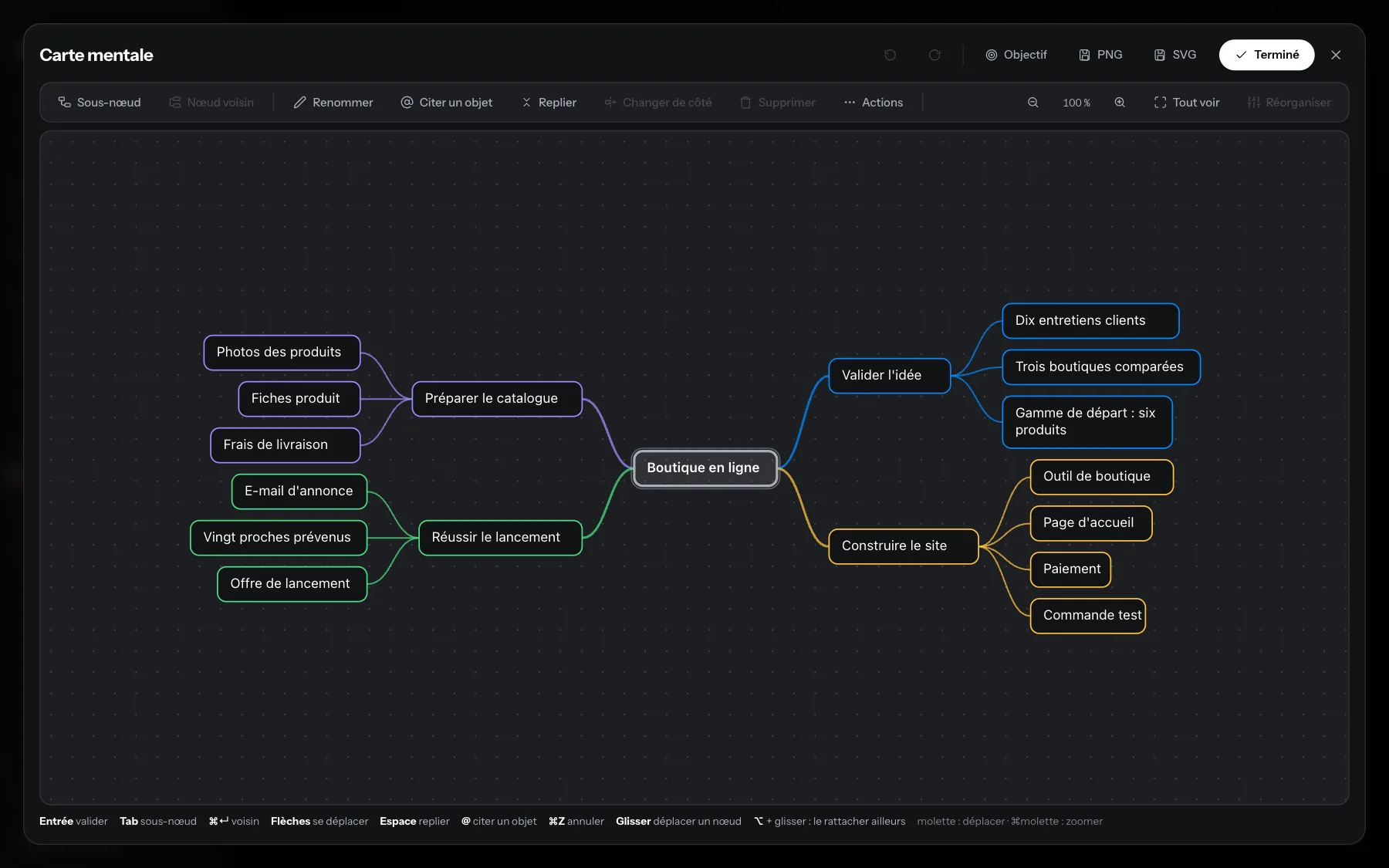
Mind map. The mind map opened: one idea, four branches, and the button that turns it into a goal. PNG -
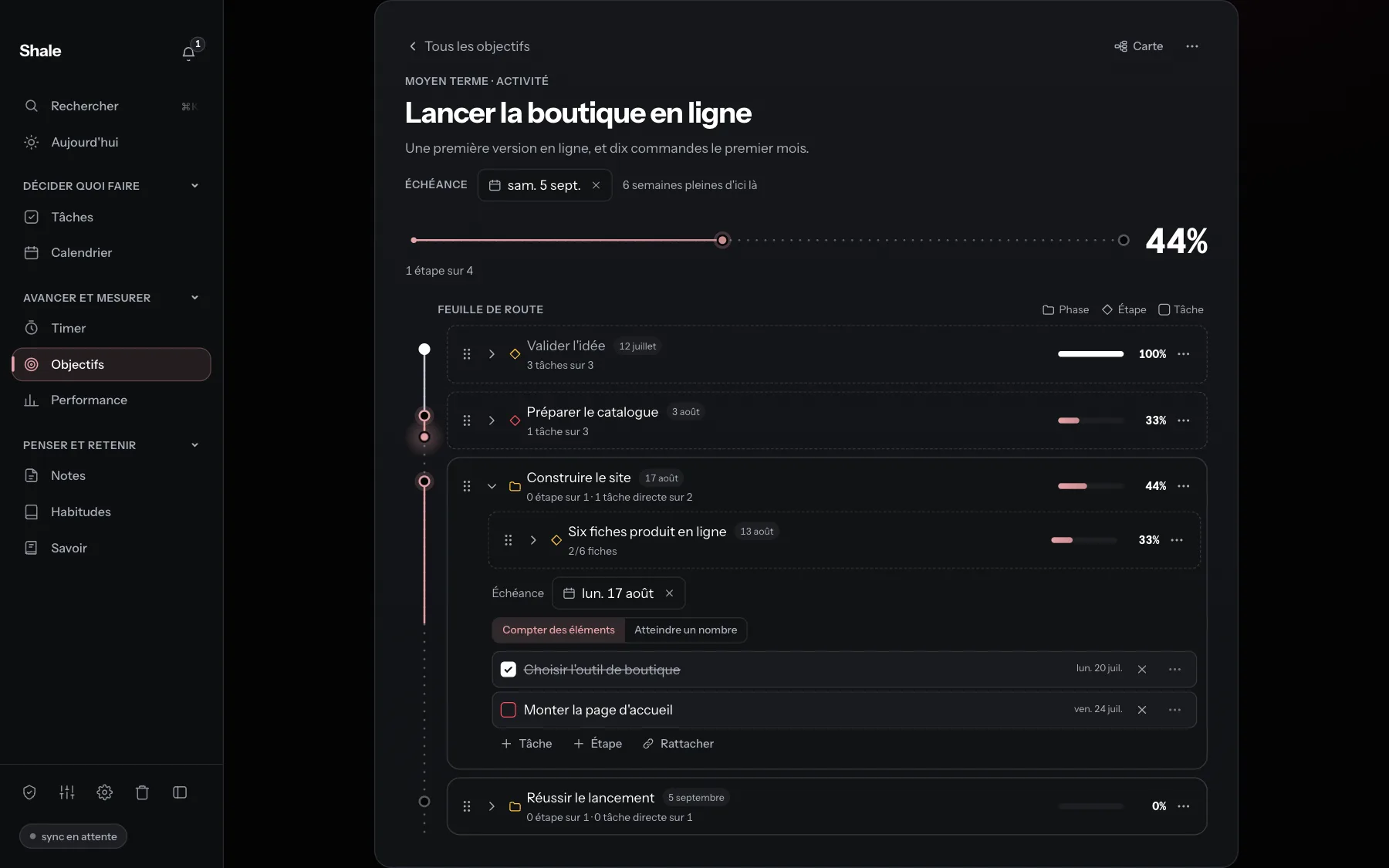
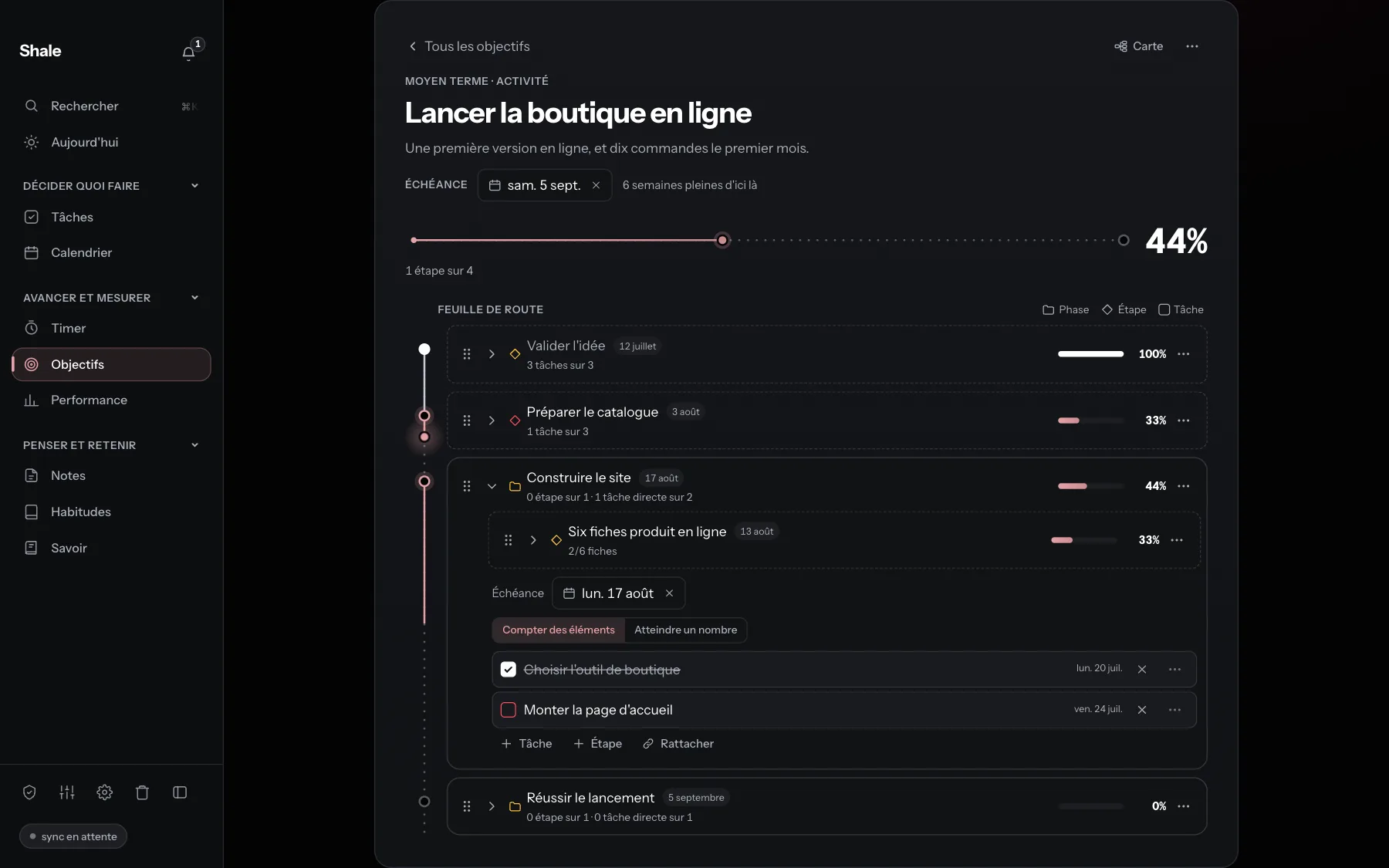
A goal. The goal born from the map: its roadmap in four phases and its progress. PNG -
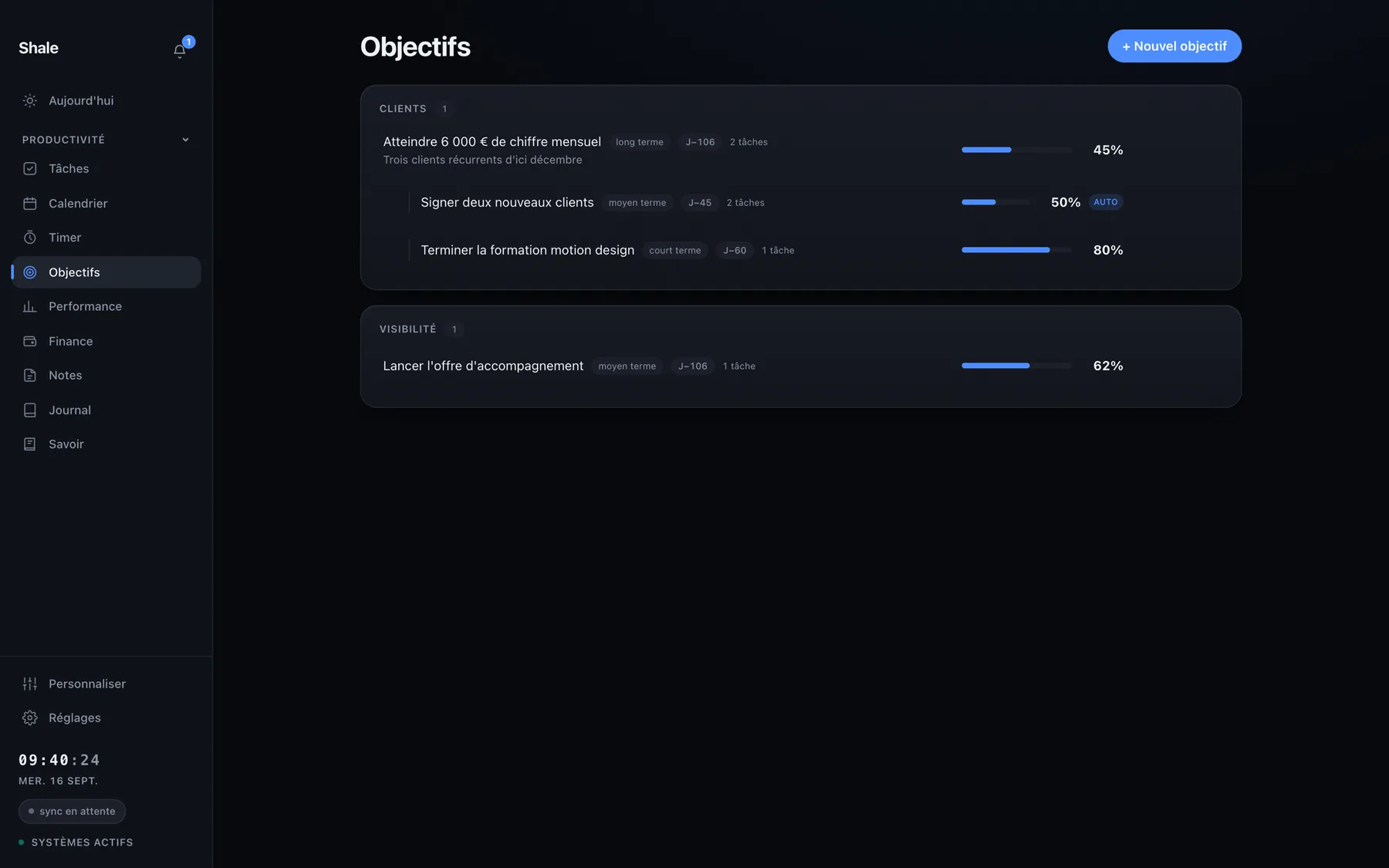
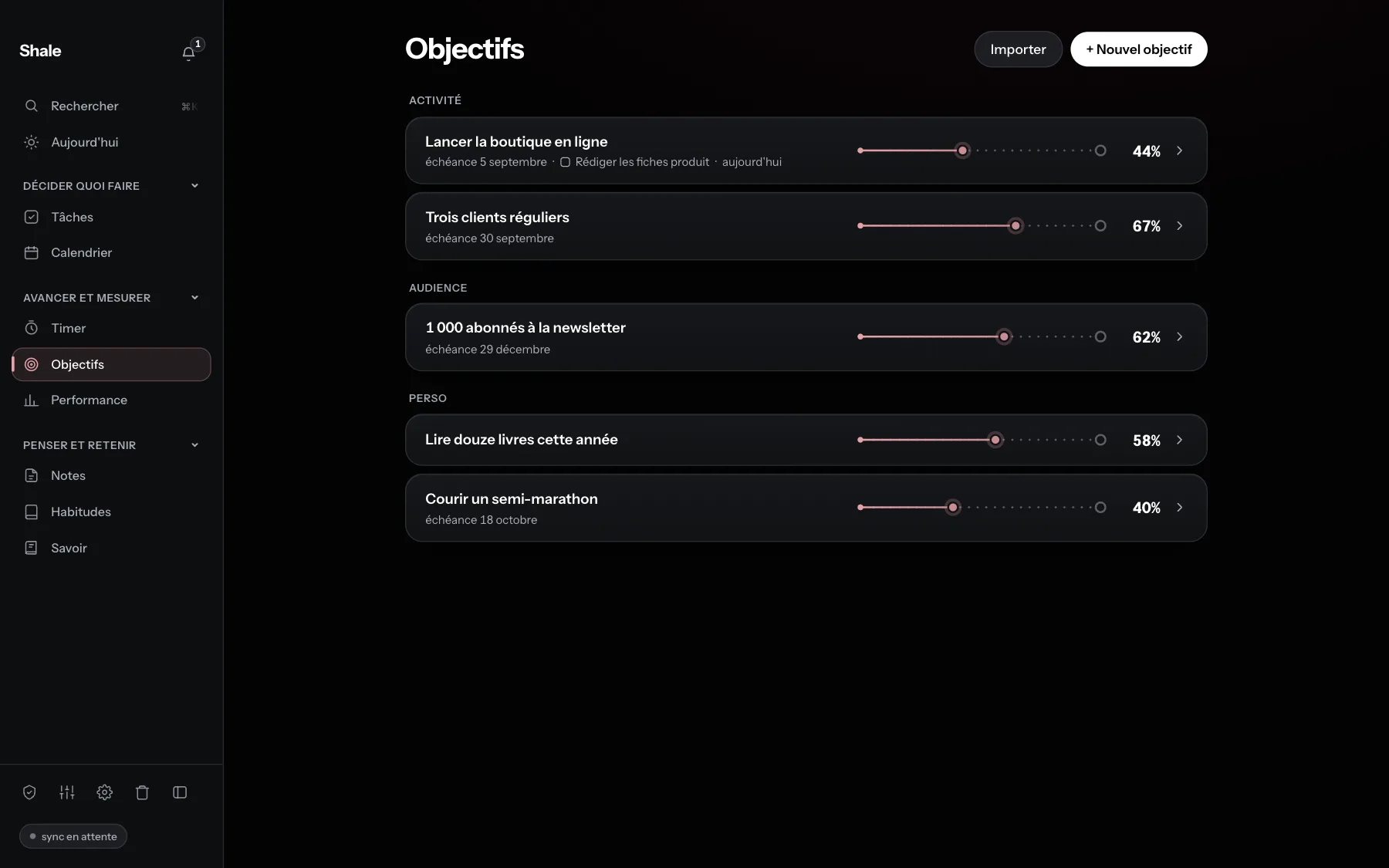
Goals. The list of goals, each with its progress. PNG -
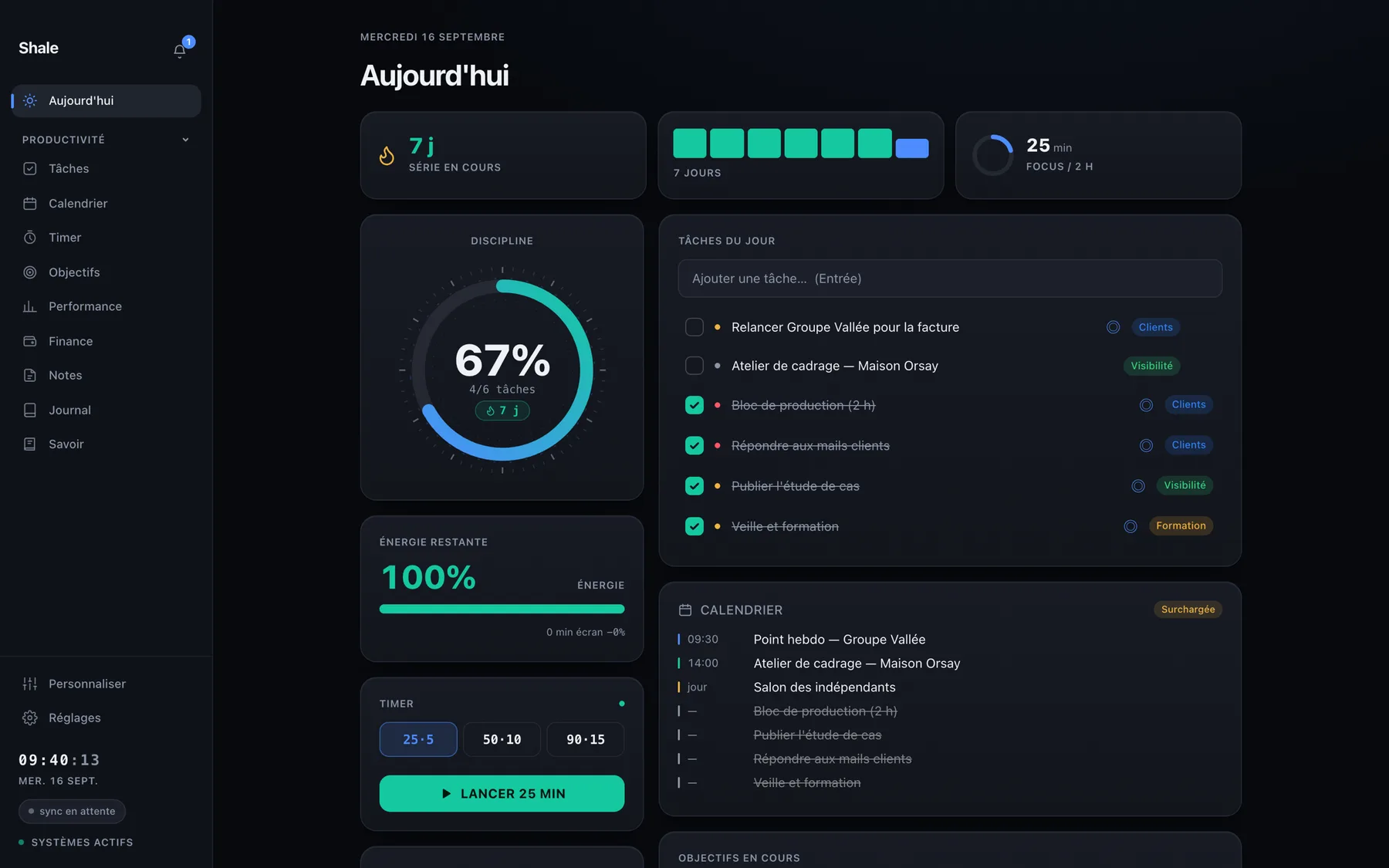
Today. The day's dashboard: tasks, discipline held, habits to keep and the calendar. PNG -
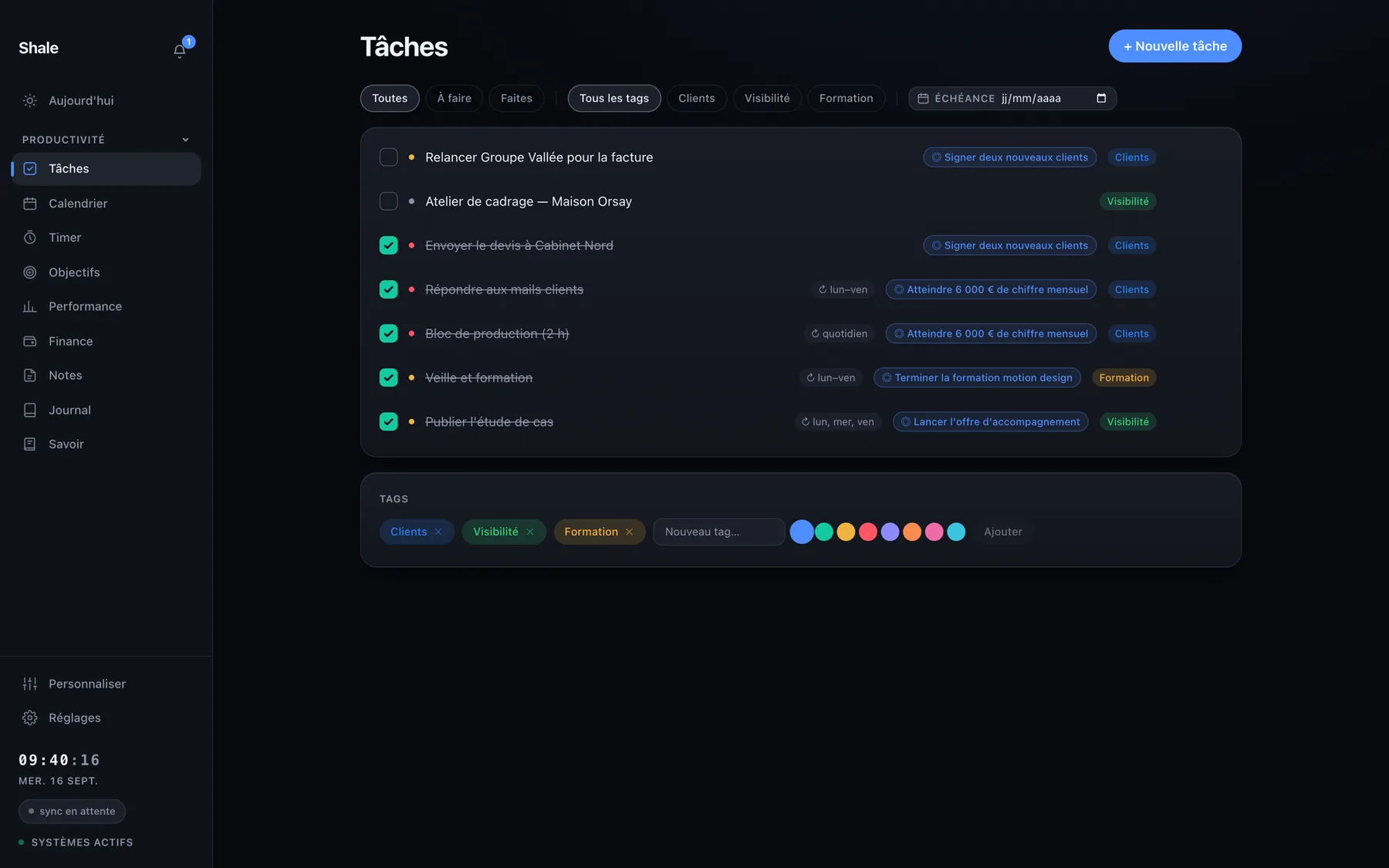
Tasks. Tasks sorted by moment, with their tags. PNG -
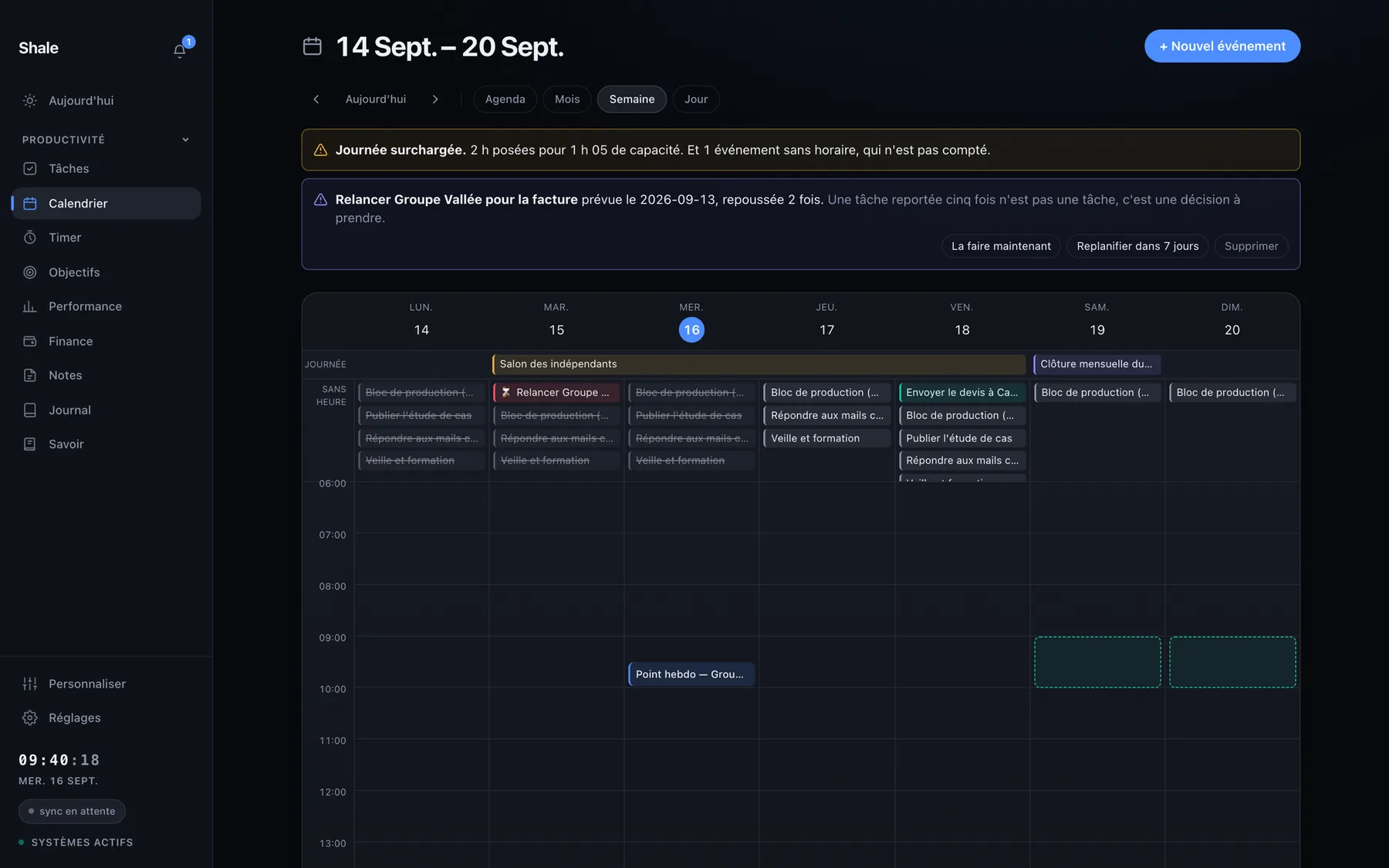
Calendar. The week: appointments and tasks in the same place. PNG -
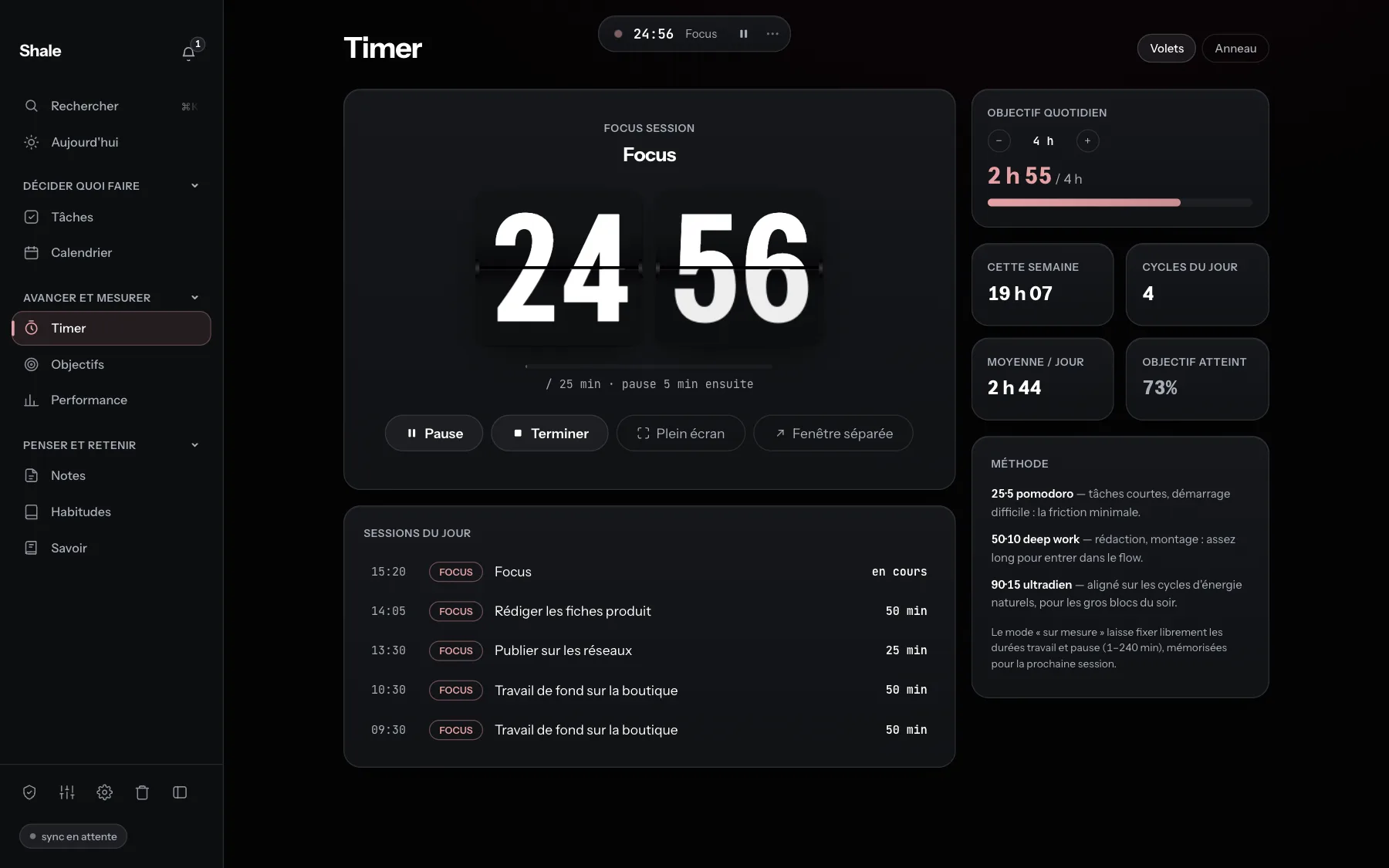
Timer. A focus session in progress. PNG -
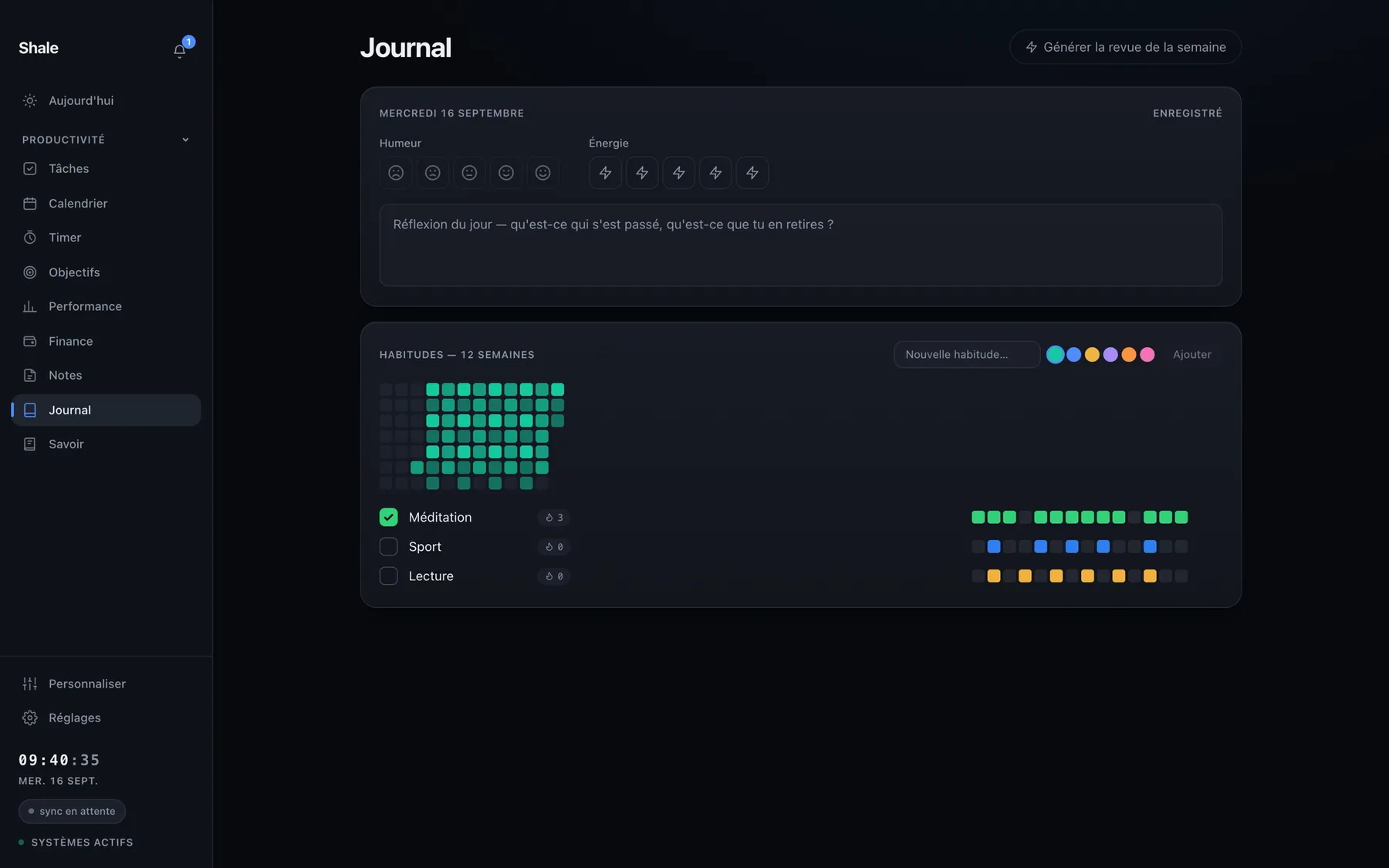
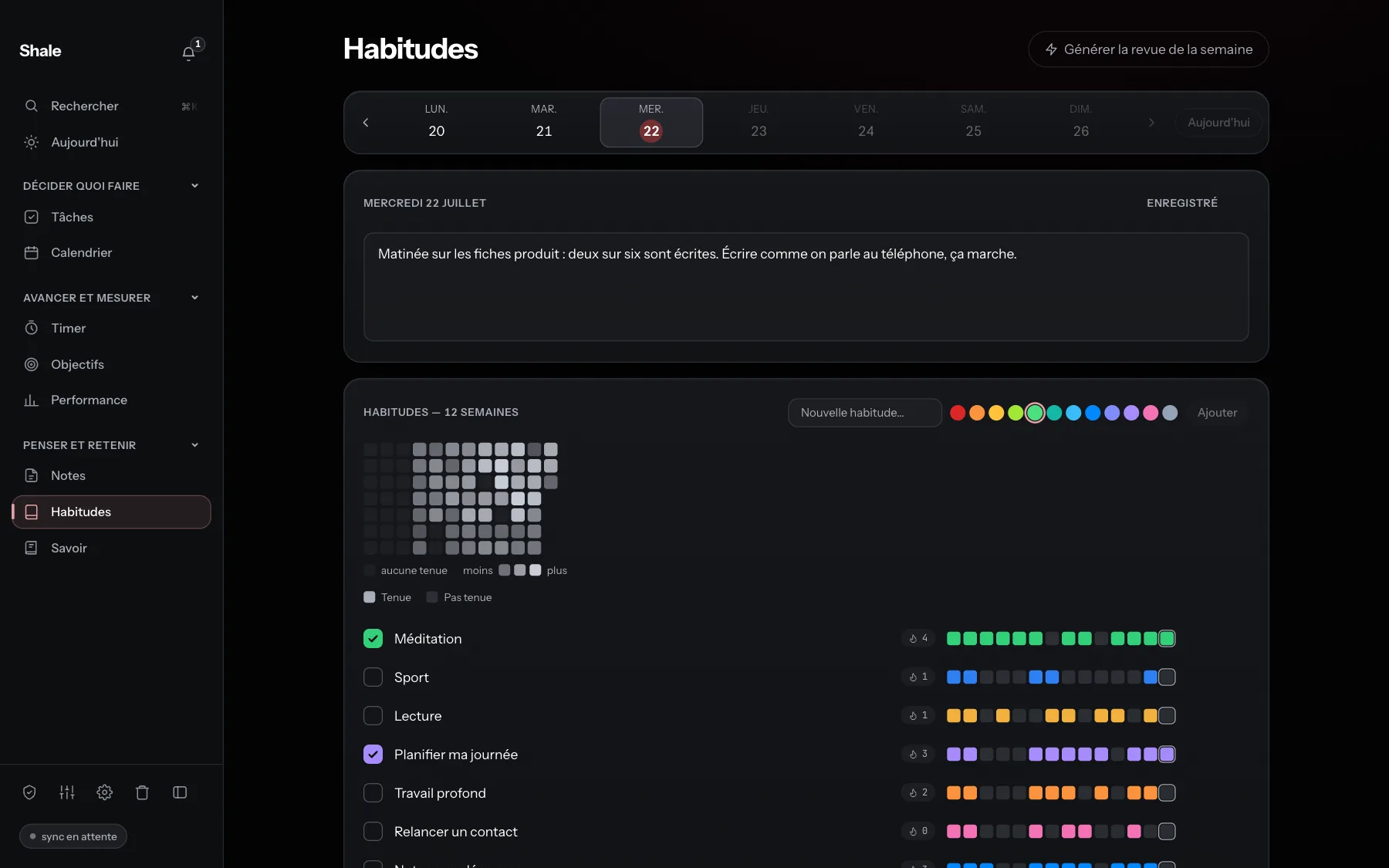
Habits. Today's reflection and habits over twelve weeks. PNG -
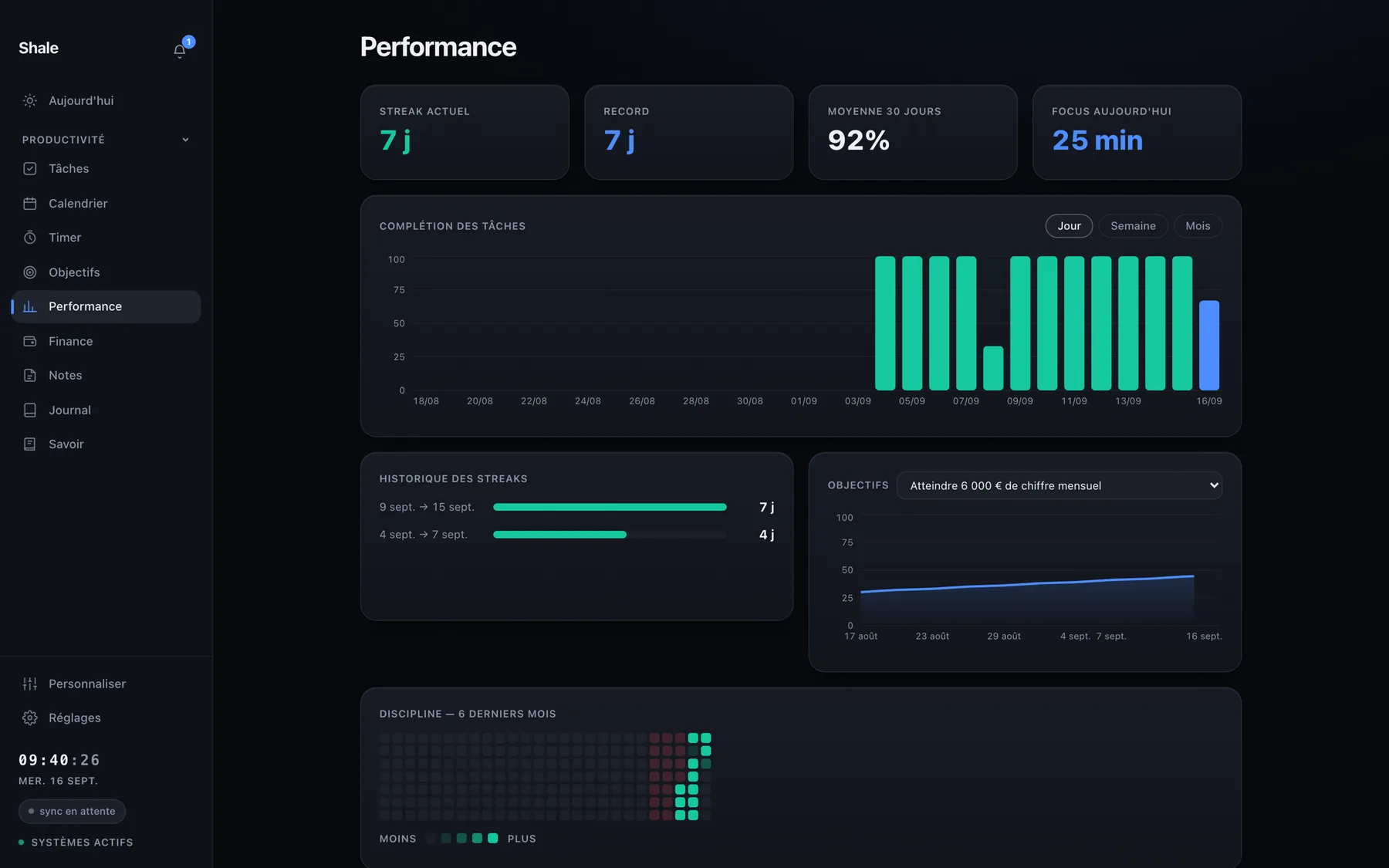
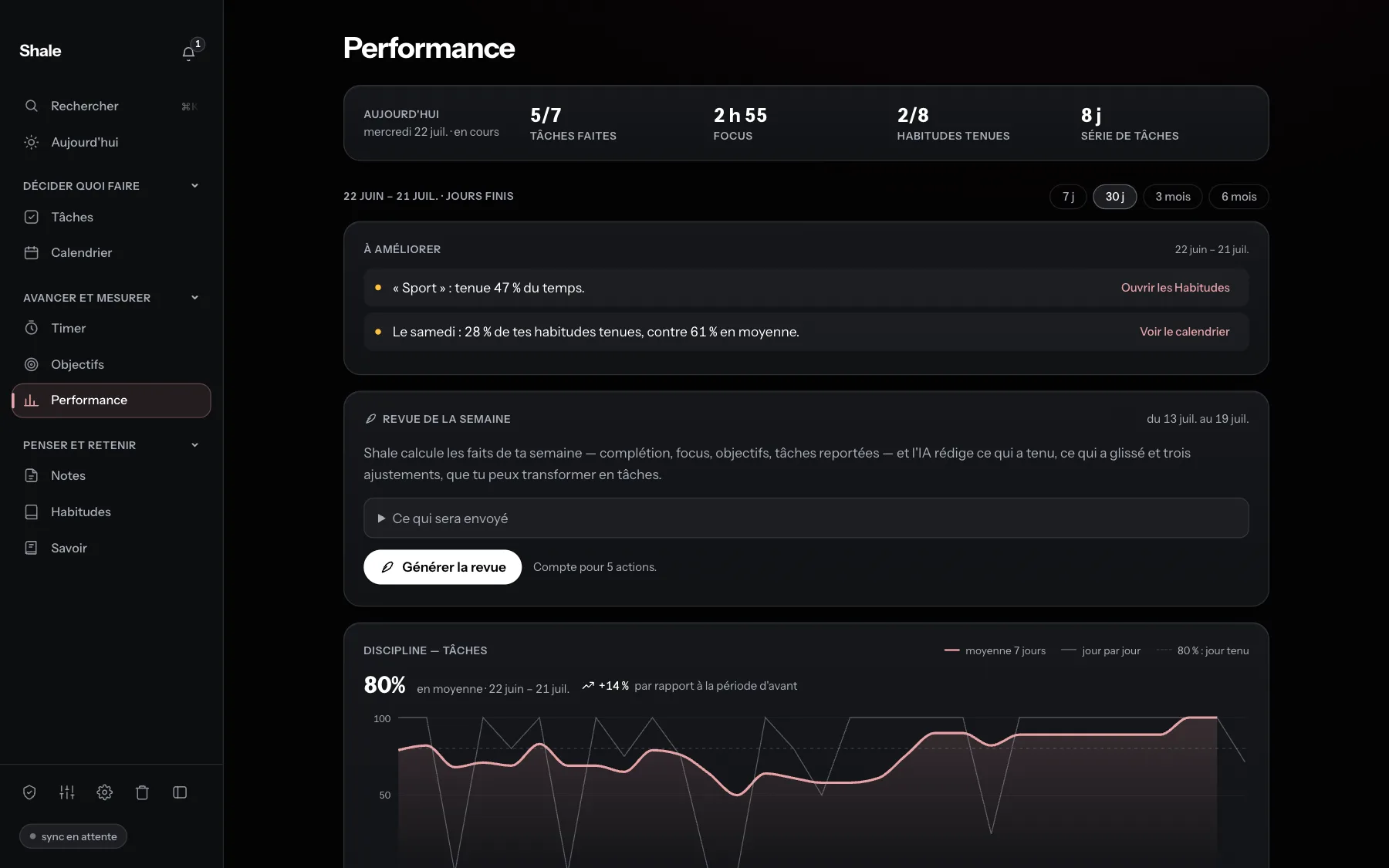
Performance. Behaviour, not results: tasks and habits kept, focus time, streak. PNG -
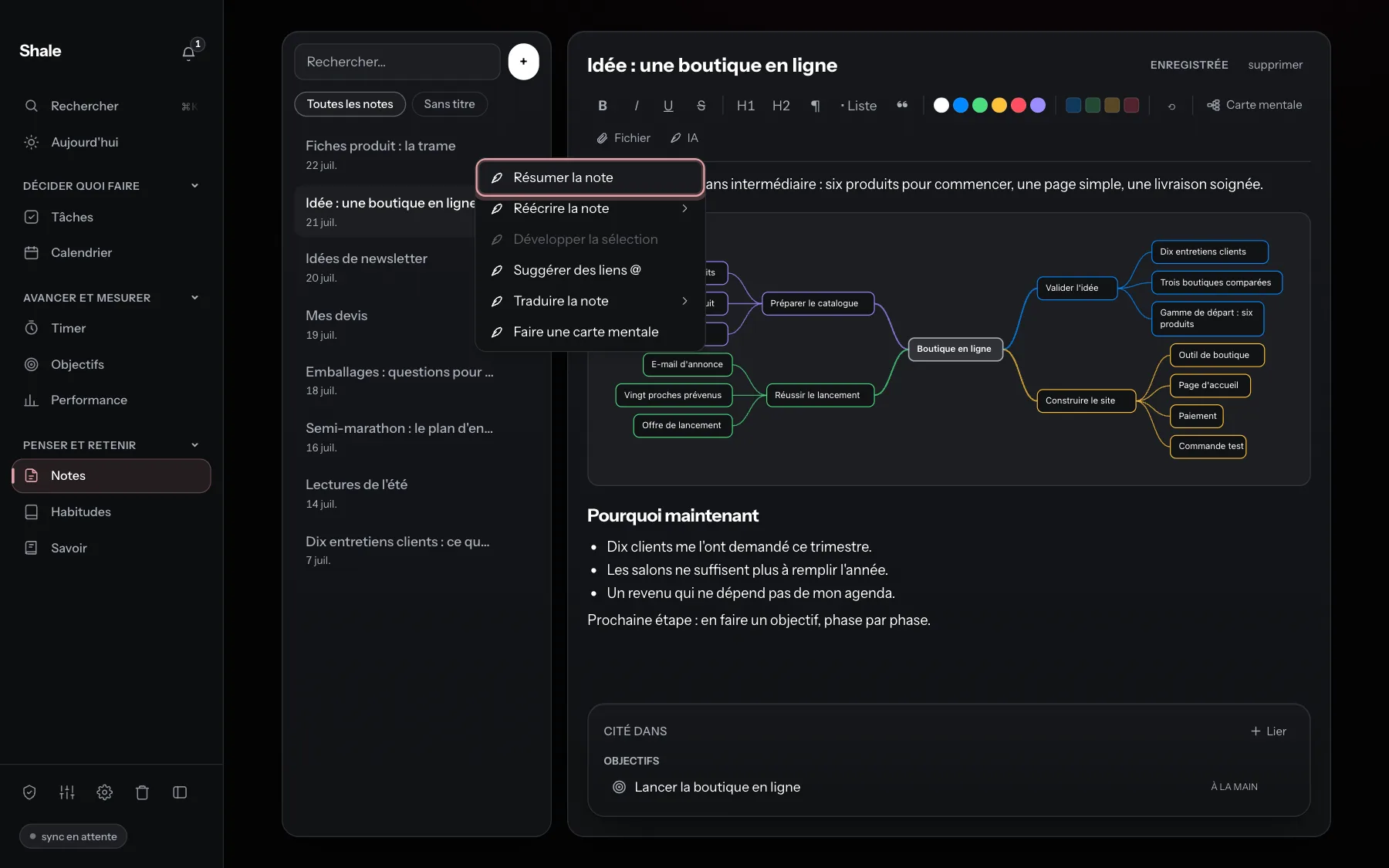
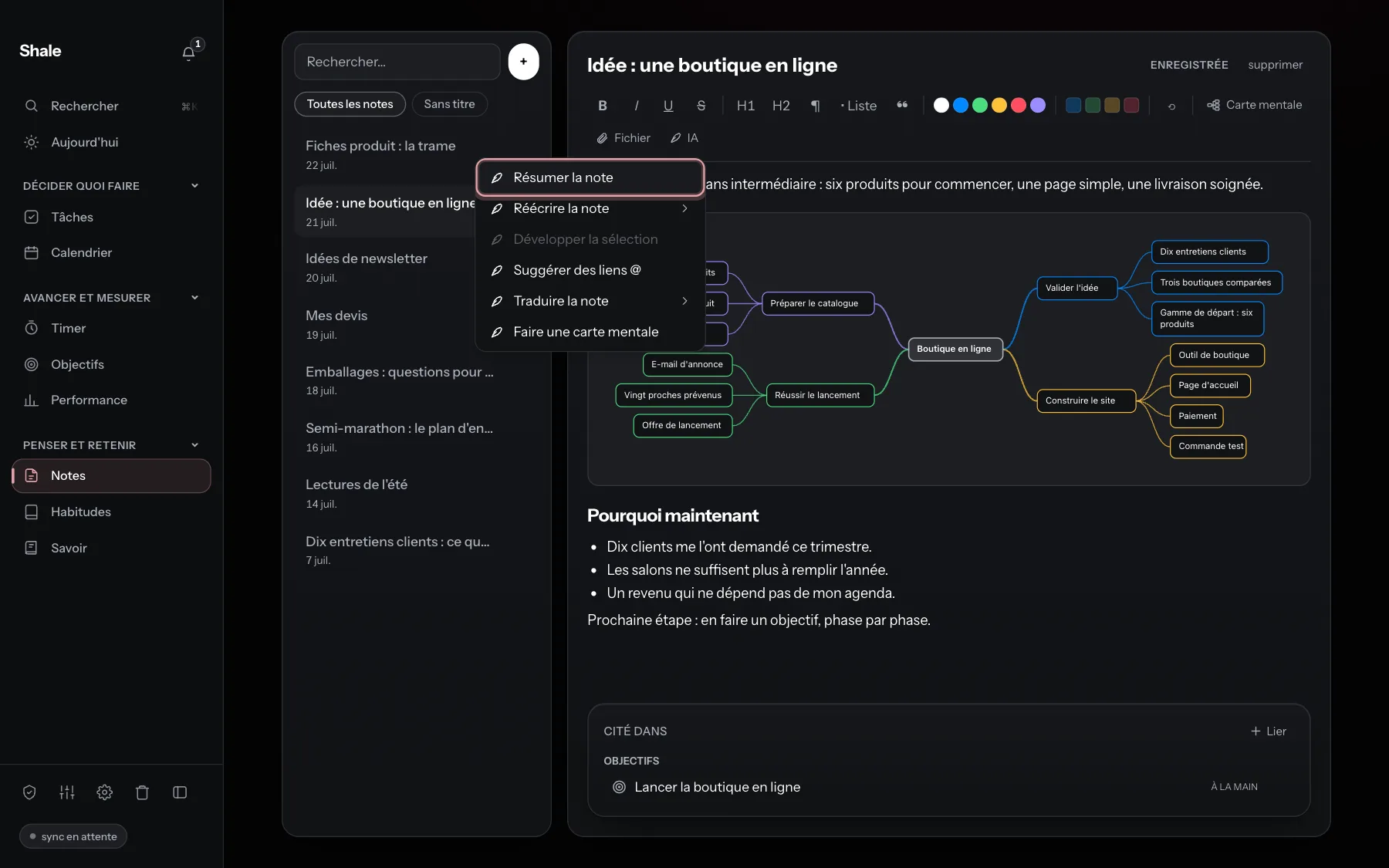
Shale Pro: AI in a note. The AI menu of a note: summarise, rewrite, expand, suggest links, translate, make a mind map. PNG






Sharing image
Name and logo usage rules
- On first mention, write “Shale, a productivity app for Mac”. After that, “Shale”, capitalised. Not “Shale App” or “ShaleApp”.
- Don't alter the logo: no recolouring, no stretching, no effects. Leave clear space around it.
- The screenshots show the Mac version. Don't retouch them, and don't present them as a Windows or iPhone version.
Quotes
Antonin Estanie, founder of Shale. Quote them as they are.
“Shale came from a mundane problem: in the morning, figuring out what to do takes more energy than doing it.”
“The tool meant to help me had become one more chore.”
“Shale isn't a fundraising story: it's paid software, sold to people who use it, which is the only way I know to make it last.”
“I write the code, answer support, and write these pages. When you write in, I'm the one reading.”
Press questions
When does Shale launch?
No date is set: Shale opens as soon as Apple has approved the app. People on the waitlist get an email the same day. The first version ships on macOS Apple Silicon.
How much does Shale cost?
Shale will be sold as a subscription. Pricing will be known when Shale opens. The first month is free for people on the waitlist.
Is there a Windows or iPhone version?
No. Shale is built for macOS on Apple Silicon (M1 and later). Windows and iPhone are not distributed: what the site shows of them is a preview, not a download.
How is it different from Notion?
Notion is an excellent shared workspace. Shale is something else: an app installed on your machine rather than a browser tab, built for one person rather than a team, and one that tells you what to do when you open it instead of waiting for you to build the system.
Who funds Shale?
No one but its publisher. Shale isn't a fundraising story: it's paid software, sold to people who use it.
What if development stops?
The data format is open and exportable: if development stops, your file stays readable on your Mac.
Contact
Press, creators, directories: write to support@shaleapp.com. One person develops and answers: Antonin Estanie is the one reading.
support@shaleapp.com Join the waitlist